

Chat view
title: Chat Widget: Chat view description: >- Greeting text, starter prompts, quick links, and related options shown inside the conversation panel.
Open Chat view
On your Chat Widget channel detail page, select Chat view.
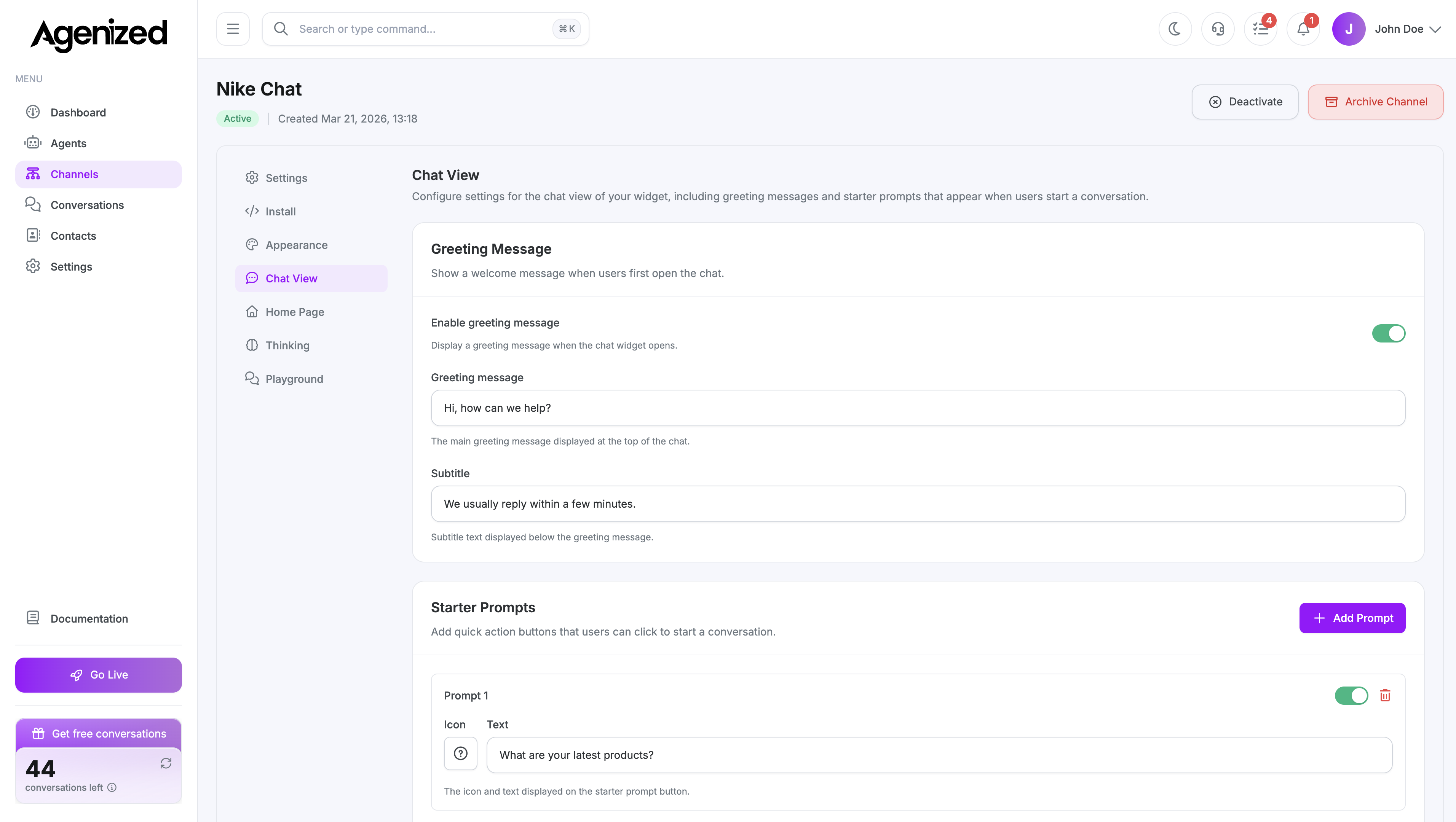
What you can configure
- Greeting: First message or welcome state when a session starts.
- Starter prompts: Suggested questions visitors can tap to begin.
- Quick links: Shortcuts to URLs (help, policies, contact) with titles and optional grouping.
These settings affect the conversation UI only; agent instructions still live under Agents.
See also
Was this page helpful?