

Overview
Connect customer-facing entry points to your agents (Chat Widget, email, and messaging). Each channel has its own settings in the merchant app.
What are channels?
Channels are how customers reach your agents. You add a channel from Channels in the main menu, pick a provider (for example Chat Widget, Gmail, or Messenger), then configure routing, appearance, or inbox behavior depending on the type.
Agents hold the AI configuration; channels decide where conversations start and which agent (or routing rules) handle them.
Channel list
Open Channels to see providers you can add and the channels already connected to your account. Available providers include Chat Widget (website widget), Gmail, Outlook, Custom Email (IMAP/SMTP), and Messenger.
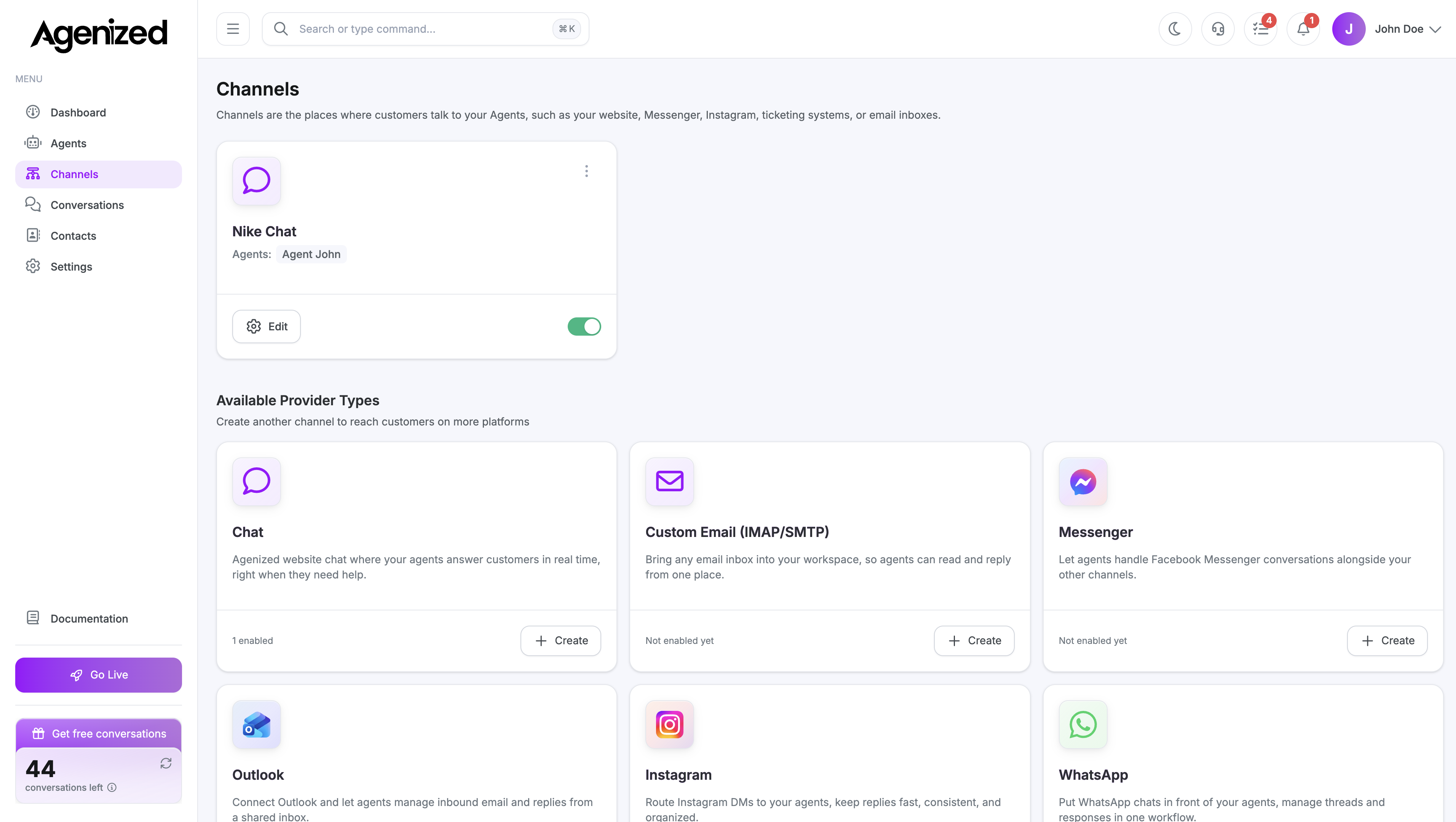
After you add a channel
Selecting a channel opens its detail page. The left sidebar lists sections for that provider (for example Settings, Install, and Appearance for Chat Widget, or Message Retrieval for email). The URL includes the active section so you can bookmark it.
Documentation map
Use the pages below for the channel type you use.
Chat Widget
Widget on your site (install snippet, look and feel, home page, playground).
Gmail
Google inbox connection and agent routing.
Outlook
Microsoft 365 / Outlook connection and agent routing.
Custom Email
IMAP/SMTP inbox, retrieval, and optional email signature.
Messenger
Facebook Messenger connection and retrieval settings.
Instagram DM integration status and setup flow.
Availability status and rollout expectations for WhatsApp.
Related settings
Account-wide Chat Blocks templates and the Block Builder live under Settings → Chat Blocks. Per-channel overrides for a specific embed are still edited on that channel’s detail page.