

Hand-off overview
Account-level hand-off destinations such as email, Zendesk, Crisp, HubSpot, and webhooks. Agents attach these connections under Agents → Hand-off.
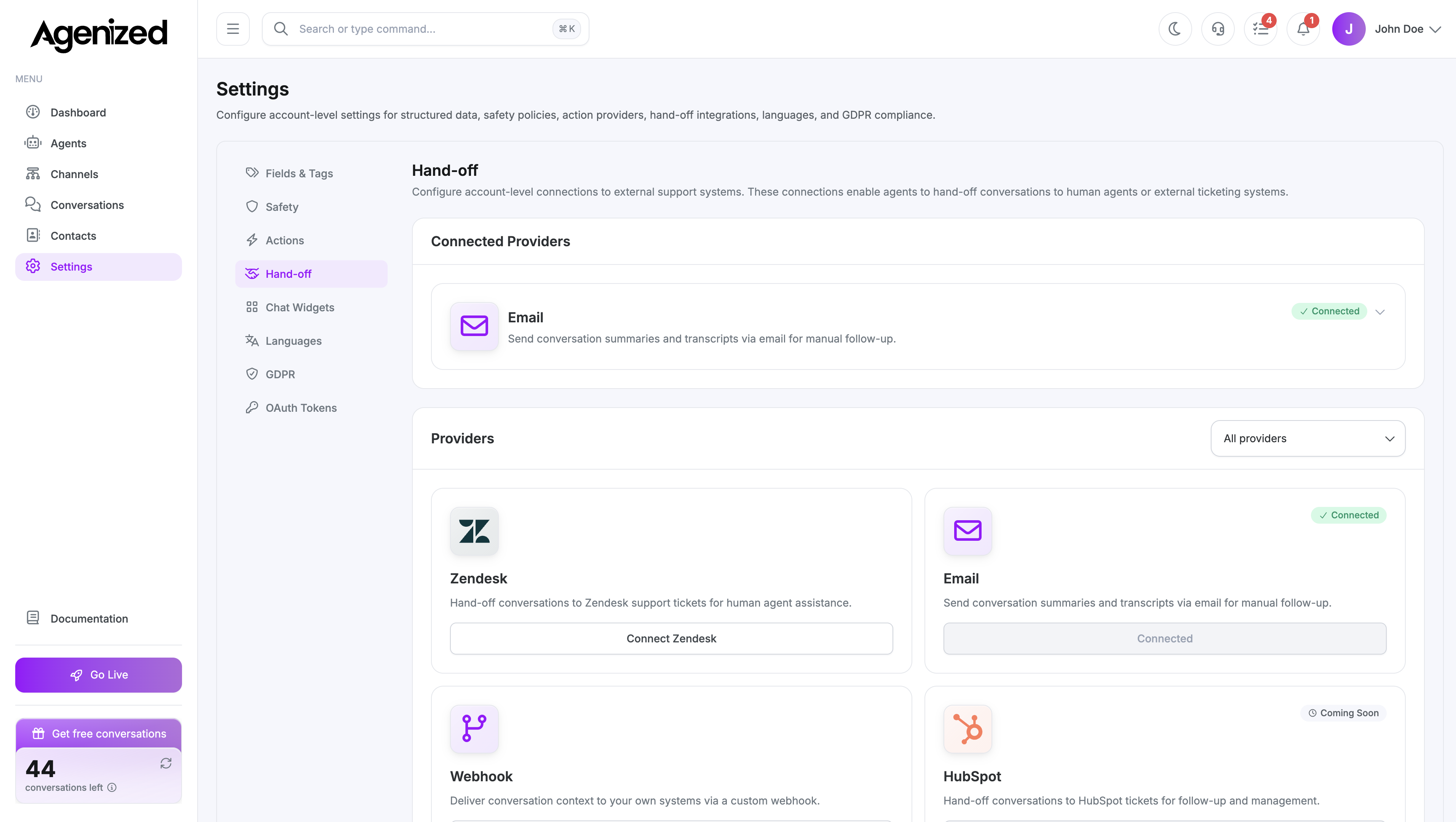
Open Settings → Hand-off.
Purpose
Hand-off configures destinations where a conversation or payload can be sent when your automation triggers a hand-off. Agents reference these connections from Agents → Hand-off.
Providers
| Provider | Documentation |
|---|---|
| Forward to a support inbox. | |
| Zendesk | Tickets in Zendesk. |
| Crisp | Live chat inbox in Crisp.chat. |
| HubSpot | CRM / service objects in HubSpot. |
| Webhook | Custom HTTPS endpoint with optional signing. |
Connections
The page groups providers. For each you can:
- Add or edit a connection (subdomain, email, API keys, secrets, etc., depending on provider).
- Expand rows to see multiple connections if allowed.
- Delete a connection when you no longer use it.
Feature availability
Some behaviors (payload shape, threading, attachments, or “create vs update” semantics) can differ by provider or evolve in the product. Each provider page calls out what to expect; if something is not listed there, treat it as not guaranteed until your rollout is verified end-to-end.
Webhook-style hand-offs
For Webhook, you typically set:
- URL and optional secret for signature verification
- Timeout (milliseconds)
- Optional custom headers
Test webhook loads a sample payload template from the API so you can send a trial request and inspect the response in the UI.
After saving here, confirm the same provider appears and works from Agents → Hand-off for the agents that should escalate.